Home Watch Videos Wars Movies Login

General How to (easily) change fonts, themes, layouts, sidebar and more

General How to (easily) change fonts, themes, layouts, sidebar and more
More threads by PakistanProud

G General

PakistanProud

Moderator
Joined
Jan 24, 2024
Messages
396
Likes
235
Nation

Residence

Axis Group

Easy change your layout and other options by following the steps below:

1.) Click on the 'Theme Customizer' icon.

1712321215668.png


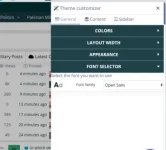
2.) Change your colors, layout width, appearance (dark, light) and fonts under the 'general' section.

1712321237495.png


3.) Depending on where you are on the forum (home, threads, forum views, etc.) you will have more options to choose from. In the homepage view, you can change sidebar positions, collapse the sidebar, and even change node layouts.

1712321351845.png


More fonts and options will be available in the near future.

PKDefense
 

Attachments

  • 1712321341843.webp
    1712321341843.webp
    9.2 KB · Views: 33
Analyze

Analyze Post

Add your ideas here:
Highlight Cite Respond
i change colour but nothing happens.
 
Analyze

Analyze Post

Add your ideas here:
Highlight Cite Respond
Analyze

Analyze Post

Add your ideas here:
Highlight Cite Respond
Analyze

Analyze Post

Add your ideas here:
Highlight Cite Respond
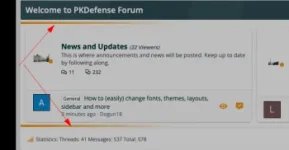
You can only change the color of the highlights, as shown by the arrows below. You can not change the color of other aspects of the UI. By default, the images turn into thumbnails when uploaded due to some setting problem. Please change the image upload settings.


1712324759742.webp


1712324807922.webp
 

Attachments

  • 1712324711152.webp
    1712324711152.webp
    6.2 KB · Views: 41
Analyze

Analyze Post

Add your ideas here:
Highlight Cite Respond
Thanks for the heads up @Old School It should be fixed now.
 
Analyze

Analyze Post

Add your ideas here:
Highlight Cite Respond
  • Like (+1)
Reactions: Old School
You can only change the color of the highlights, as shown by the arrows below. You can not change the color of other aspects of the UI. By default, the images turn into thumbnails when uploaded due to some setting problem. Please change the image upload settings.


View attachment 4637

View attachment 4638

@Azad Kashmir @Dogun18

To change other aspects of the UI, including colors, you can do that via preferences. Here: https://www.pkdefense.com/account/preferences


1712325823684.webp


1712325851538.webp


1712325883479.webp
 
Analyze

Analyze Post

Add your ideas here:
Highlight Cite Respond
yh the right bar changes colour. >>>>>>>>>>>>>>>>>>>>>>>>>>>>>>>>>>>>>>>>>>>>>>>>>>>>>>>>>
 
Analyze

Analyze Post

Add your ideas here:
Highlight Cite Respond

Members Online

No members online now.

Latest Posts

Back
 
G
O
 
H
O
M
E